Demonstration · Illustrative data · BI Consulting Services Prepared for Jeff · September 2026

Parker Hannifin × BI Consulting Services

IPF Mineral Wells workflow board — the two workstreams from the February 2025 statement of work, shown working together: the Power Automate flow that carries comments and attachments across every Alteryx refresh cycle, and the HR SharePoint hub with role-based access for employees and managers.

Division Industrial Process FiltrationPlant Mineral Wells, TXSources SharePoint · Power Automate · Alteryx refresh · OracleRefresh nightly cycle

Scale anchor: Parker publishes 19.9 billion USD in sales, about 61,000 people, 43 countries and 335 manufacturing plants1. This board covers one plant — IPF Mineral Wells — and the records, comments and site visits on it are illustrative.

Records refreshed by Alteryx
Comments carried over after refresh
Attachments carried over
Status timestamps captured (first change only)
Peak flow load vs 24-hour request limit
HR hub visits
Signature view · Workstream 2 Manufacturing workflow

The refresh-cycle housing: what survives each Alteryx pass

Every nightly refresh replaces the SharePoint list rows. The Power Automate retention element sits in the housing and re-attaches the comments and files people typed in during the day, so the refresh never wipes them. Counts below are for the selected period and area.

What this board answers

Three questions from the discovery call

Trend Manufacturing workflow

Comments carried over per cycle, and the flow's request load

Bars: comments retained (gold) and the few that needed a manual re-attach (red). Line: Power Platform requests used by the flows as a share of the 24-hour limit; the dotted line is what the old on-every-edit trigger would have consumed.

Comments retainedRe-attached manuallyRequests, % of limit (with trigger conditions)Before trigger conditions80% alert line
Status timestamps SharePoint list

Time in each status, from the one-shot "Status Updated At" stamp

The stamp is written once, on the first change into a status, and never overwritten — the calculated-column circular reference and the runaway trigger are both gone.

HR SharePoint hub · Workstream 1 HR hub

Landing-page tiles, as the selected audience sees them

Interactive tiles on the HR landing page with role-based visibility: general employees see the open tiles; the Manager Toolkit and its document library are only rendered for managers. Visits for the selected period, filtered by the plant area's headcount.

Breakdown By plant area

Where the comments come from

Ranked by comments entered in the selected period. "Retained" is the share that survived every refresh without a manual re-attach.

AreaRecordsCommentsShareRetainedDays
HR hub adoption HR hub

Weekly unique visitors vs plant headcount

Access & document visibility HR hub

Role-based access check

Flow health Power Automate

Runs, failures and retries

Also from BI Consulting Services

Private AI on your own server

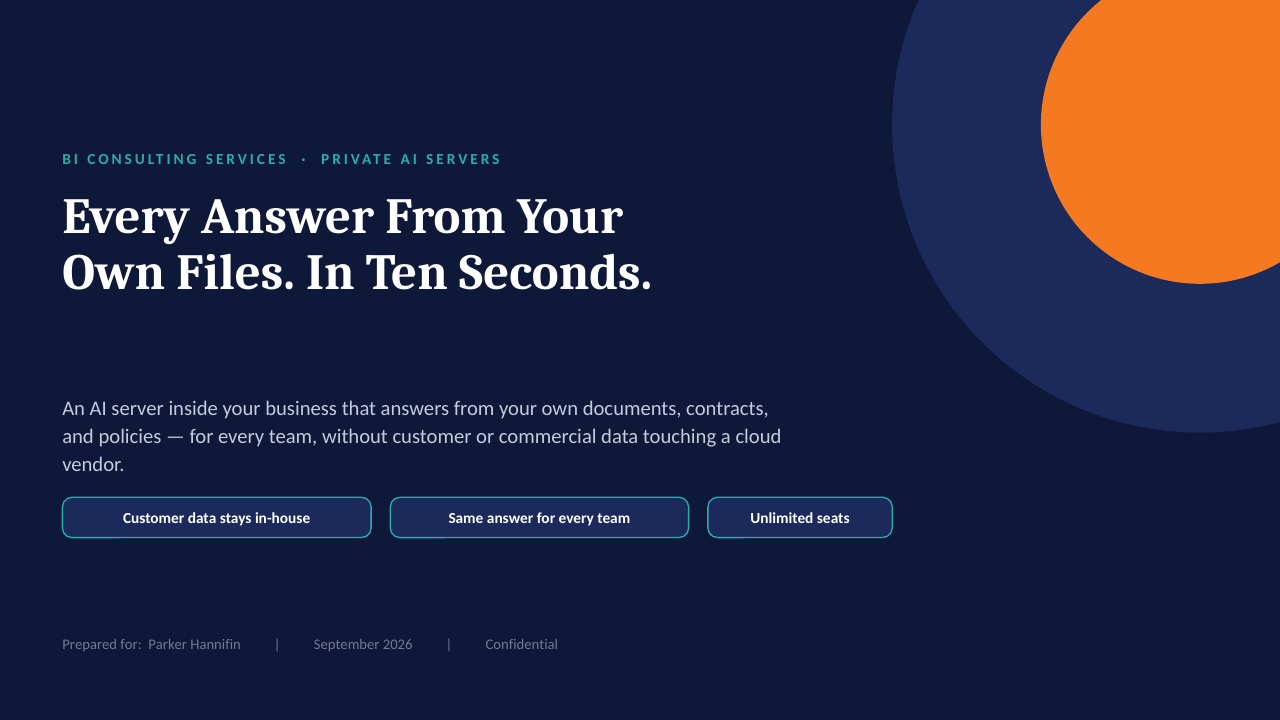
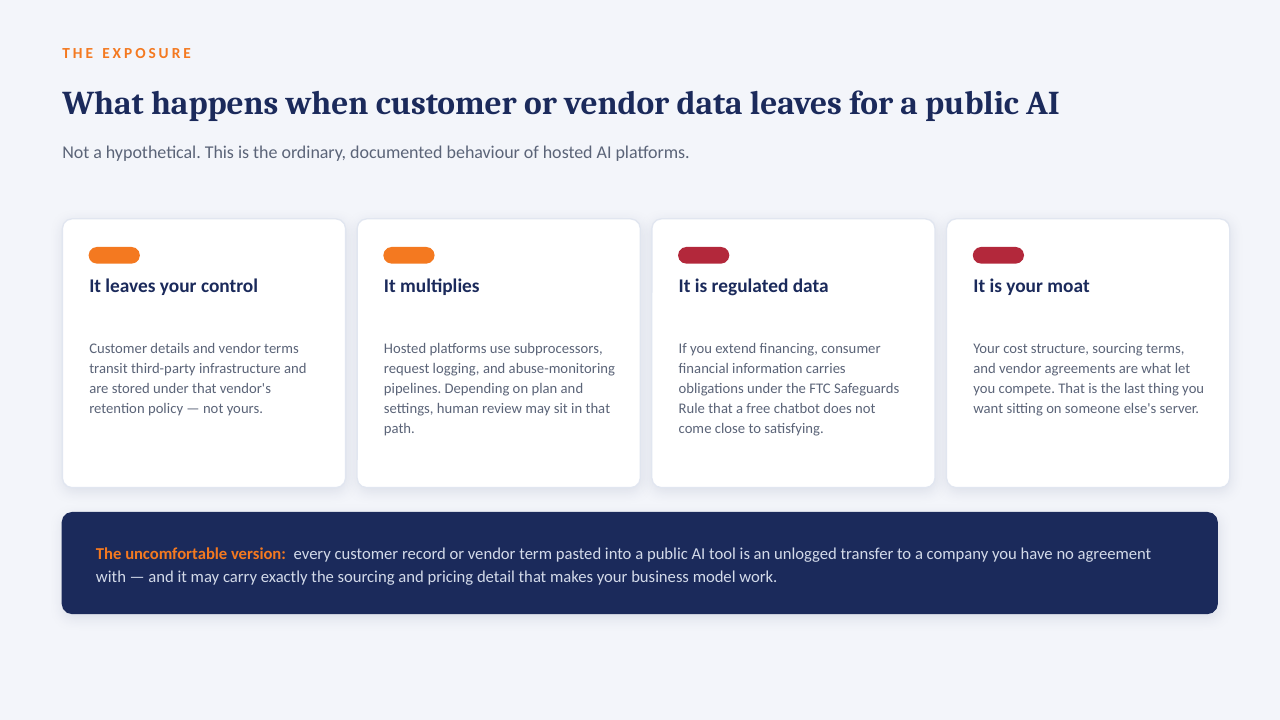
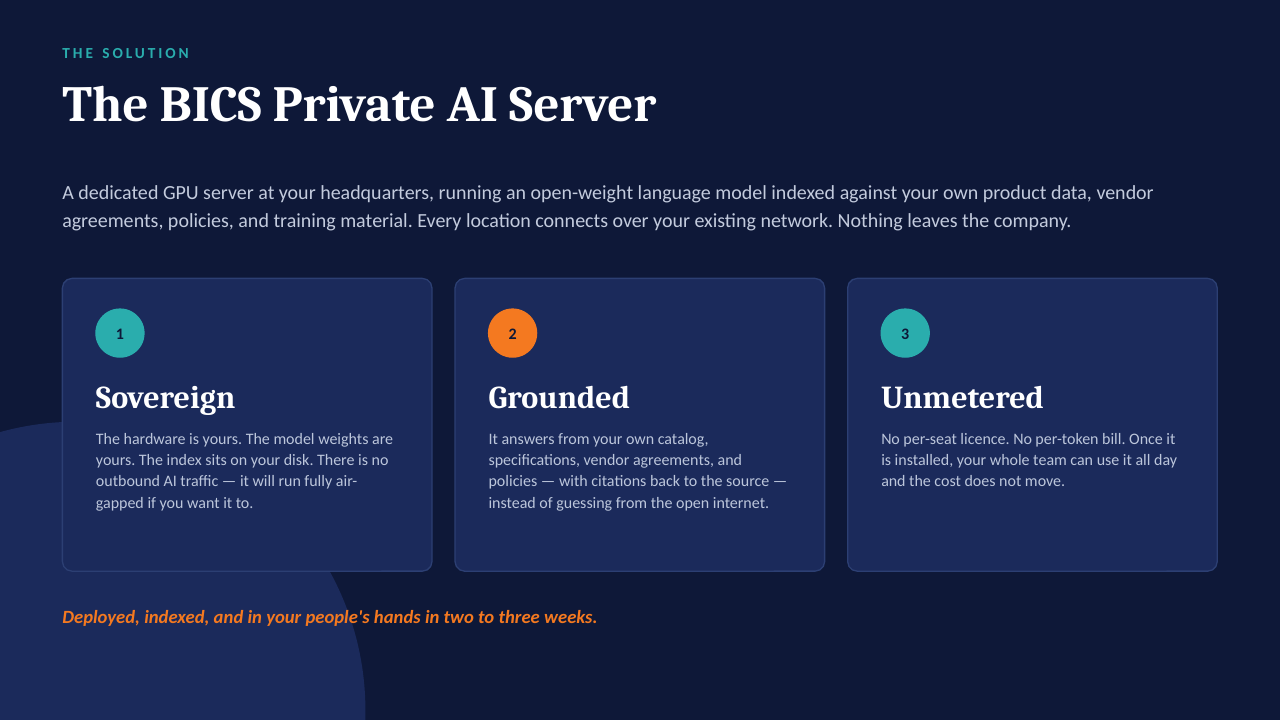
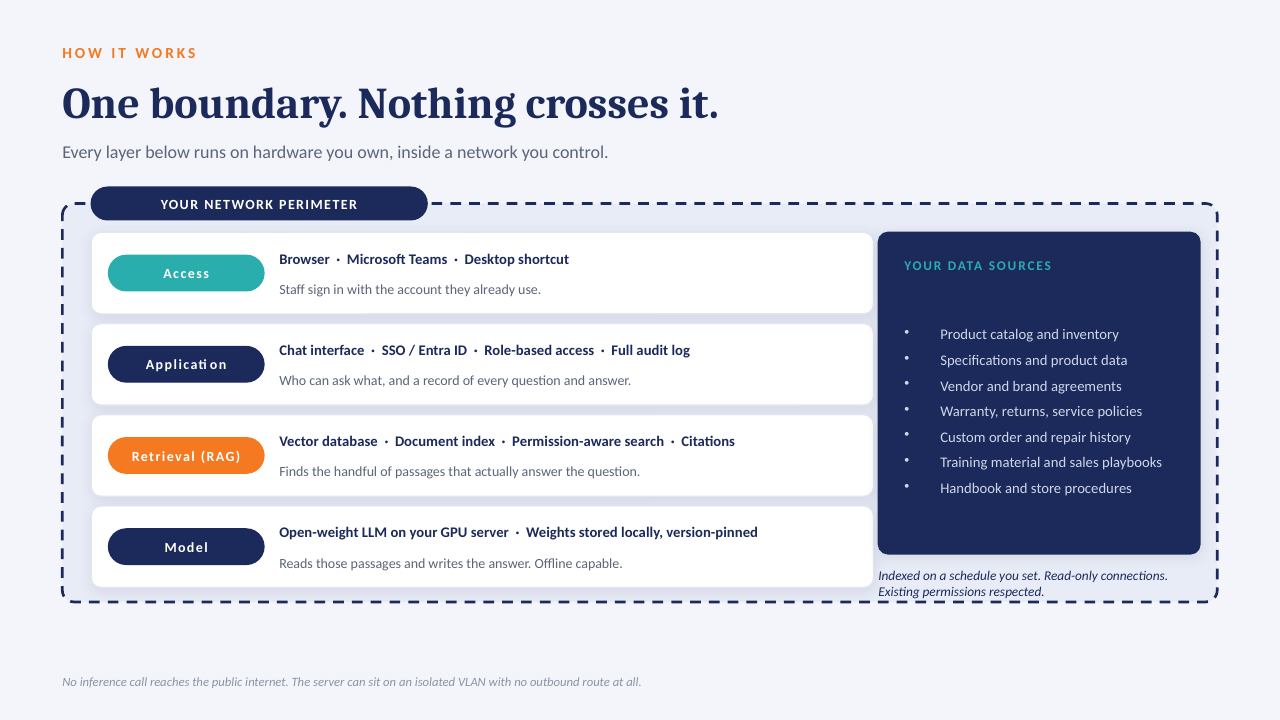
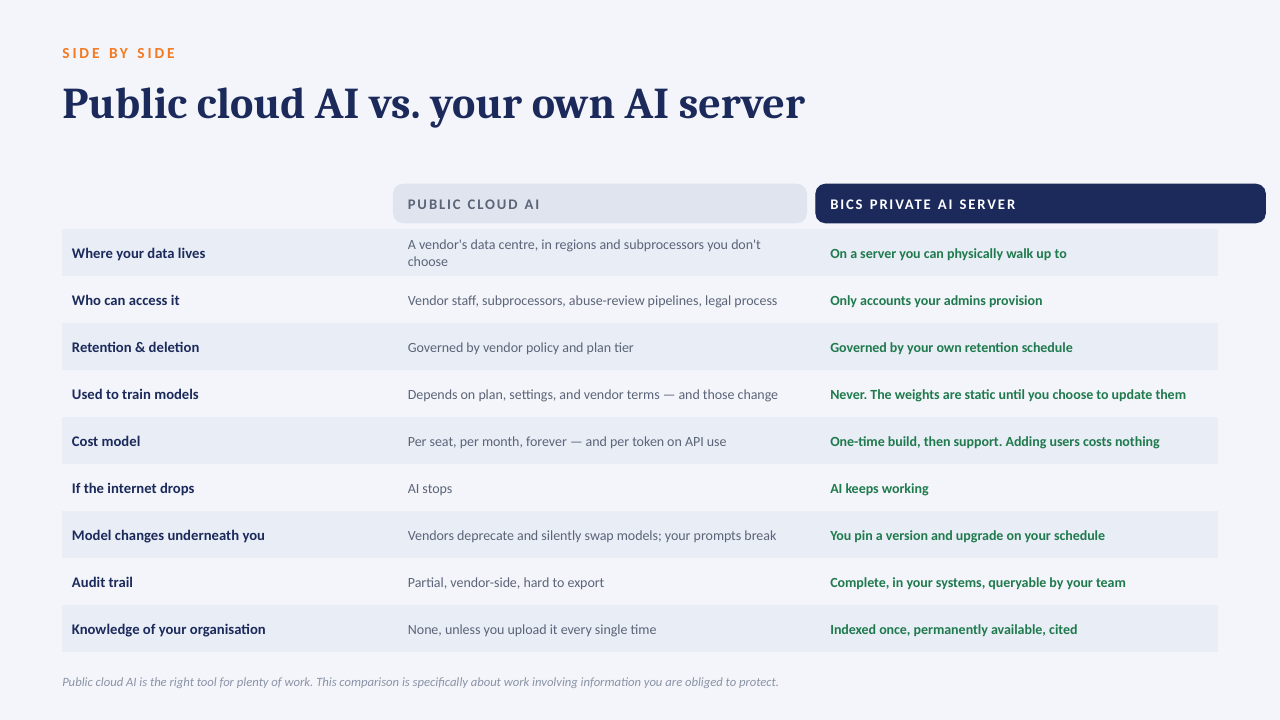
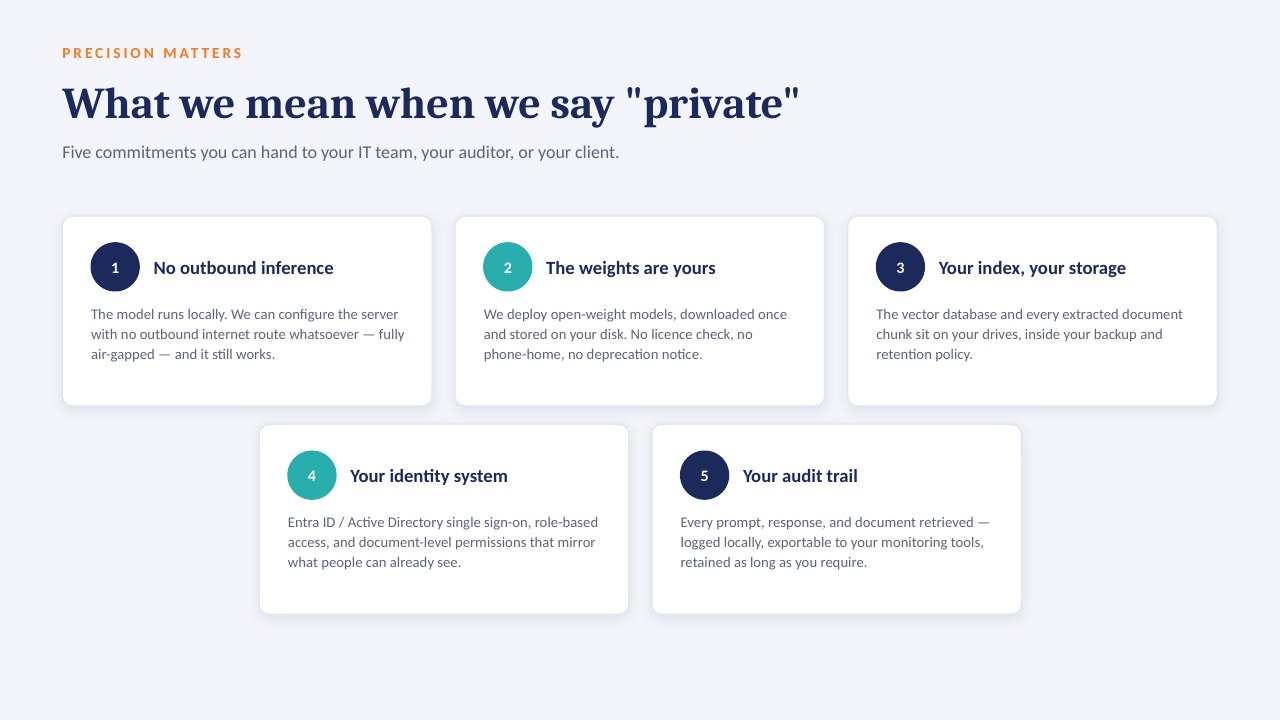
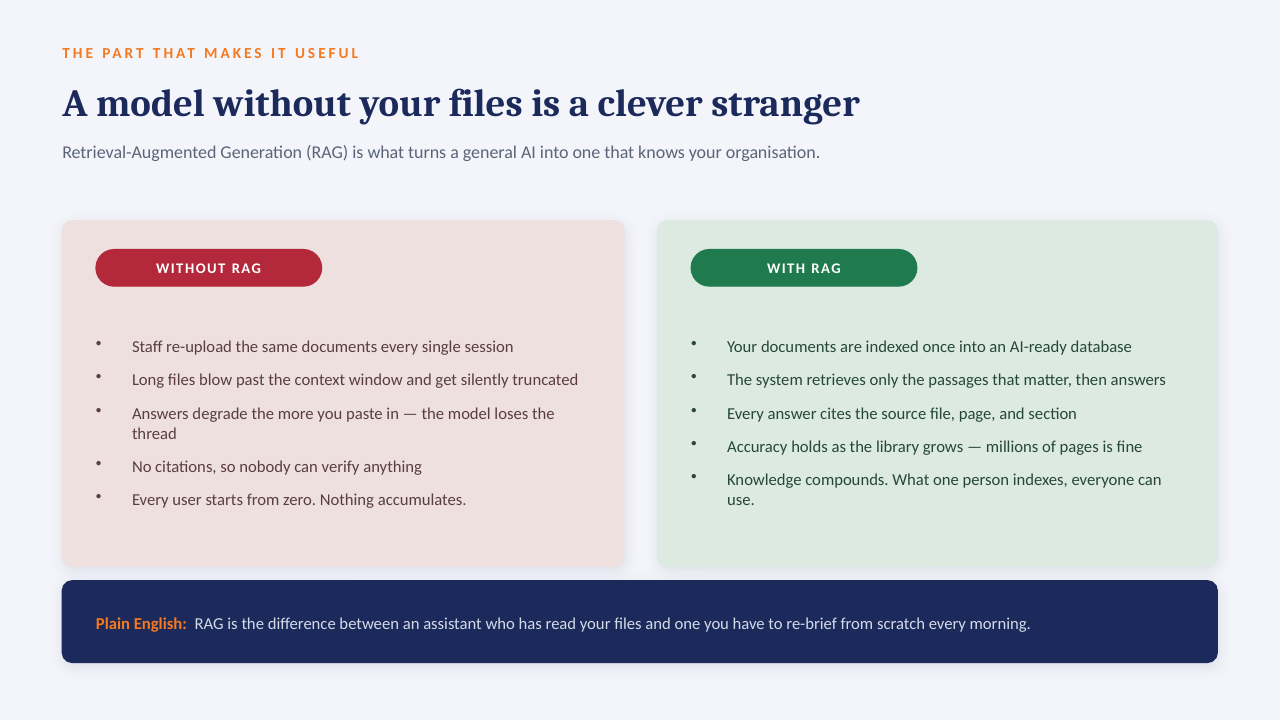
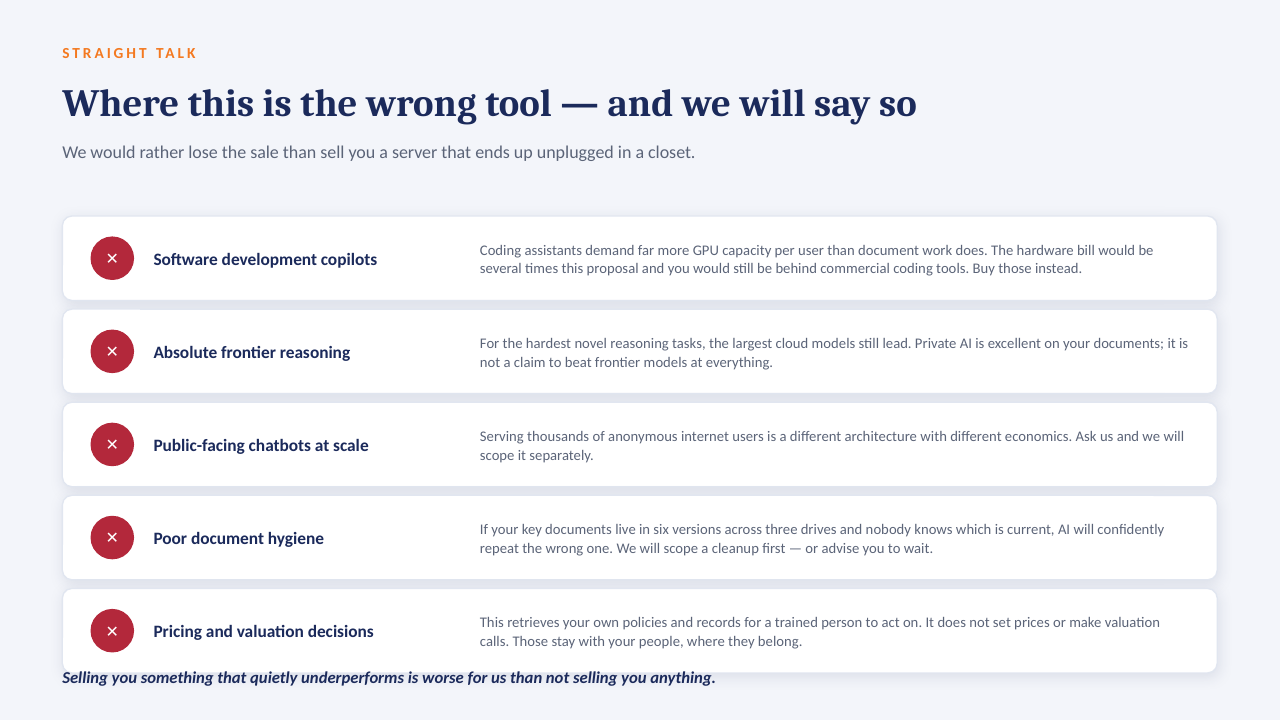
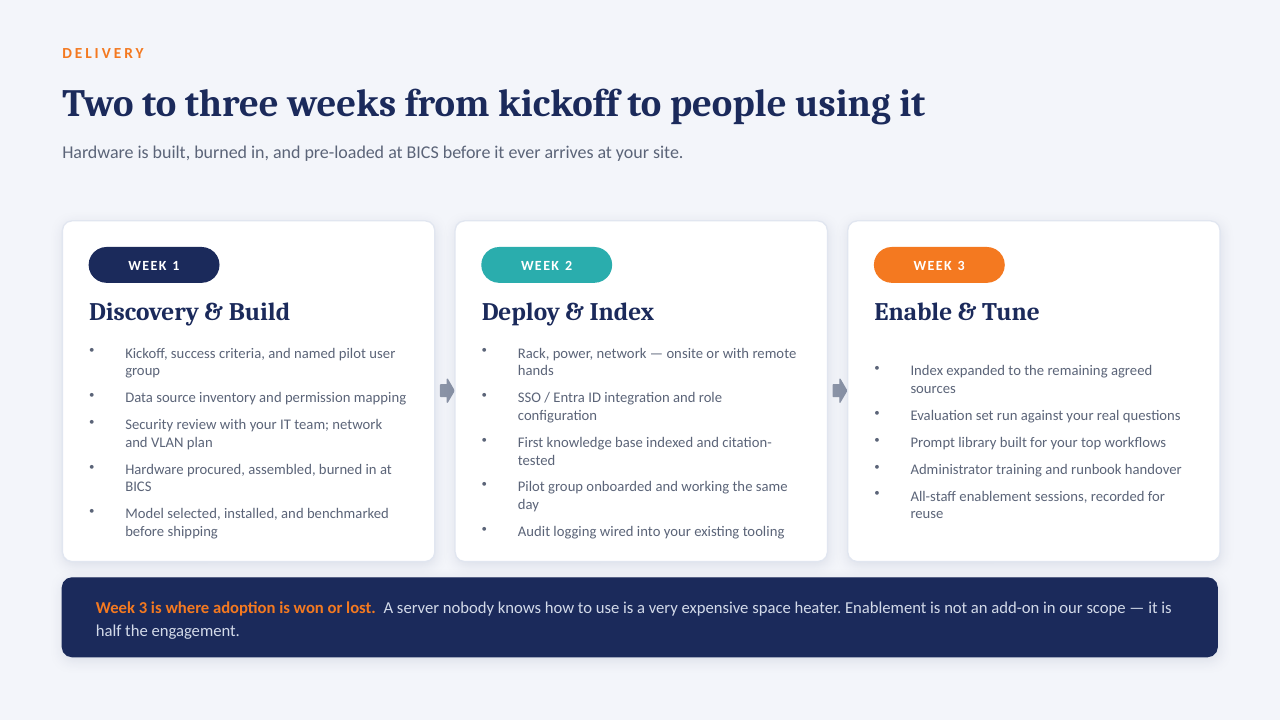
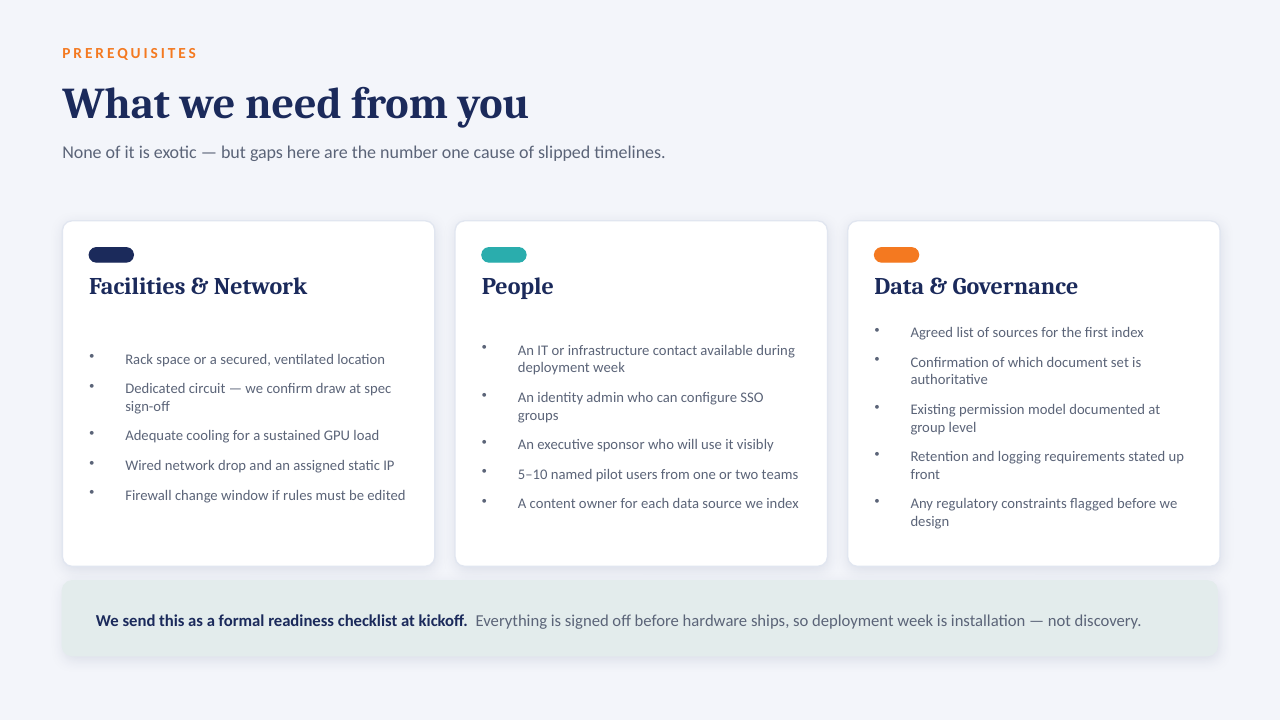
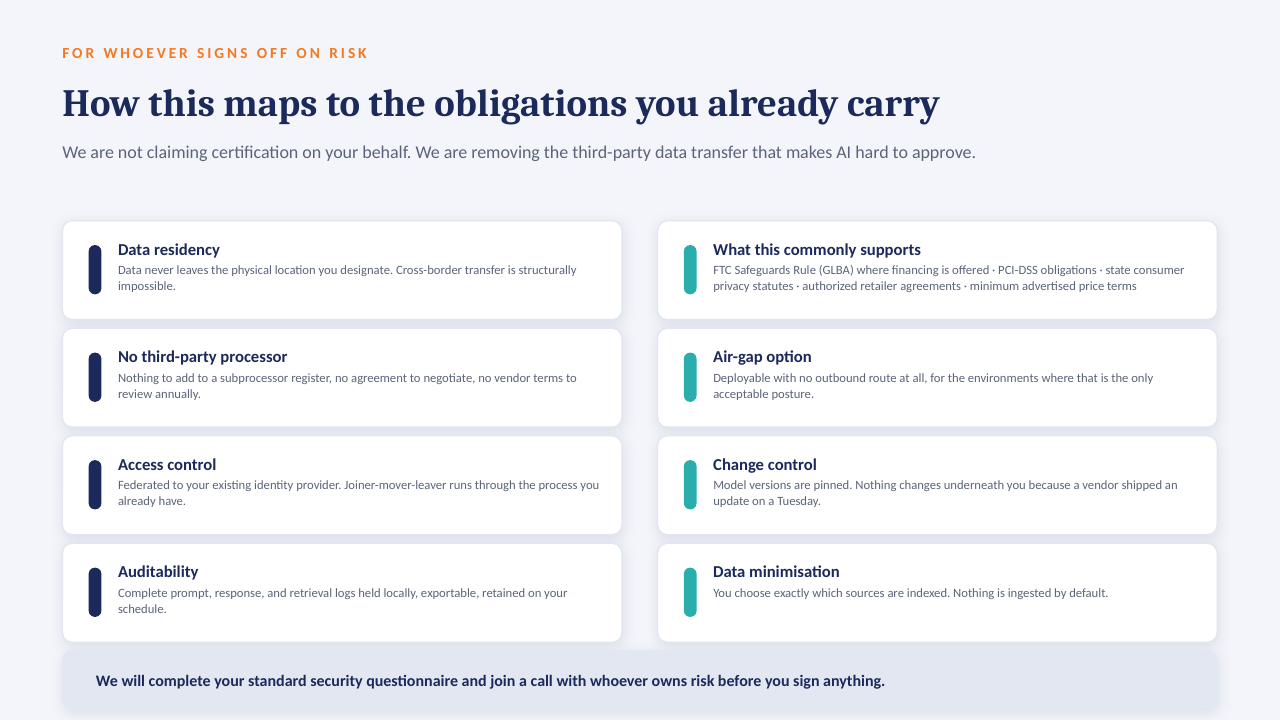
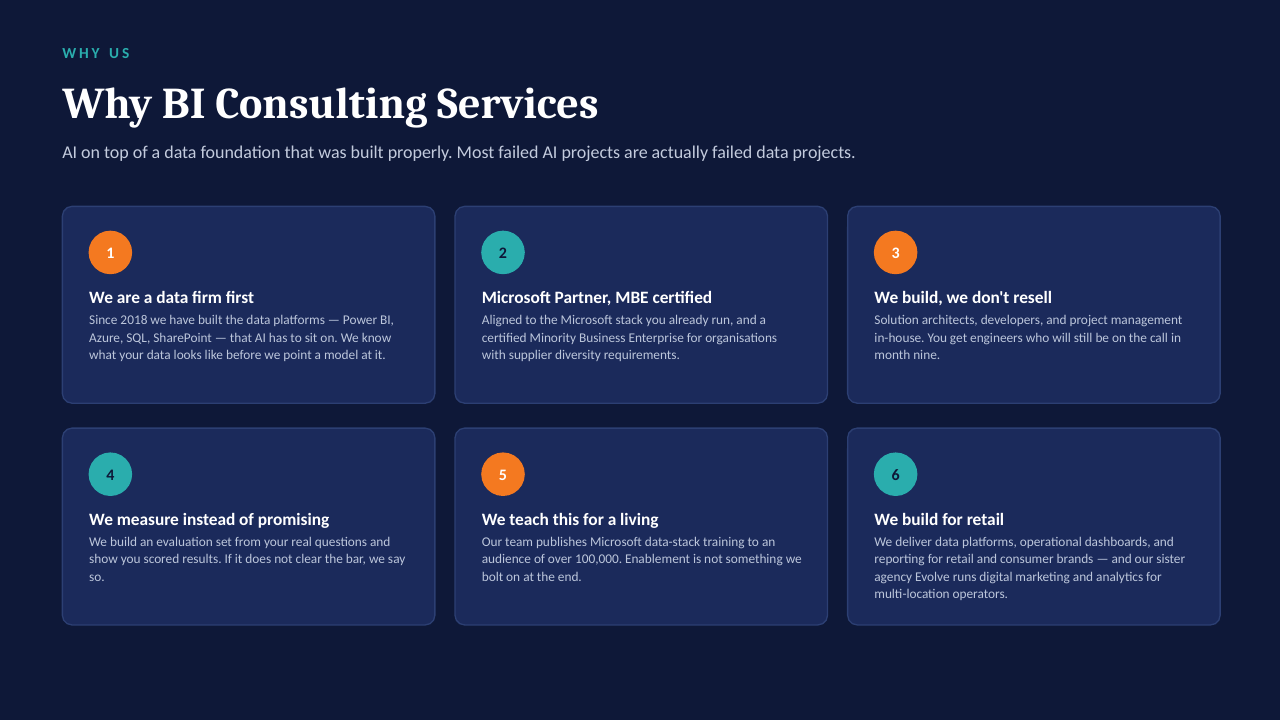
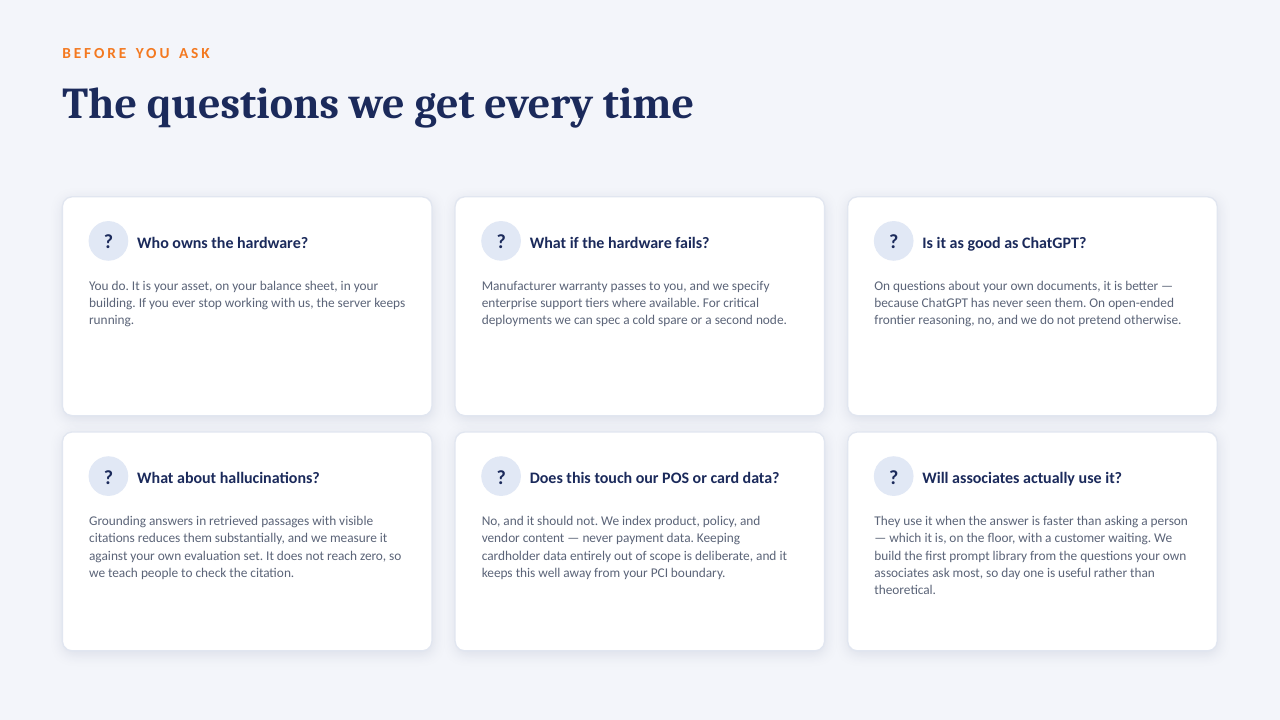
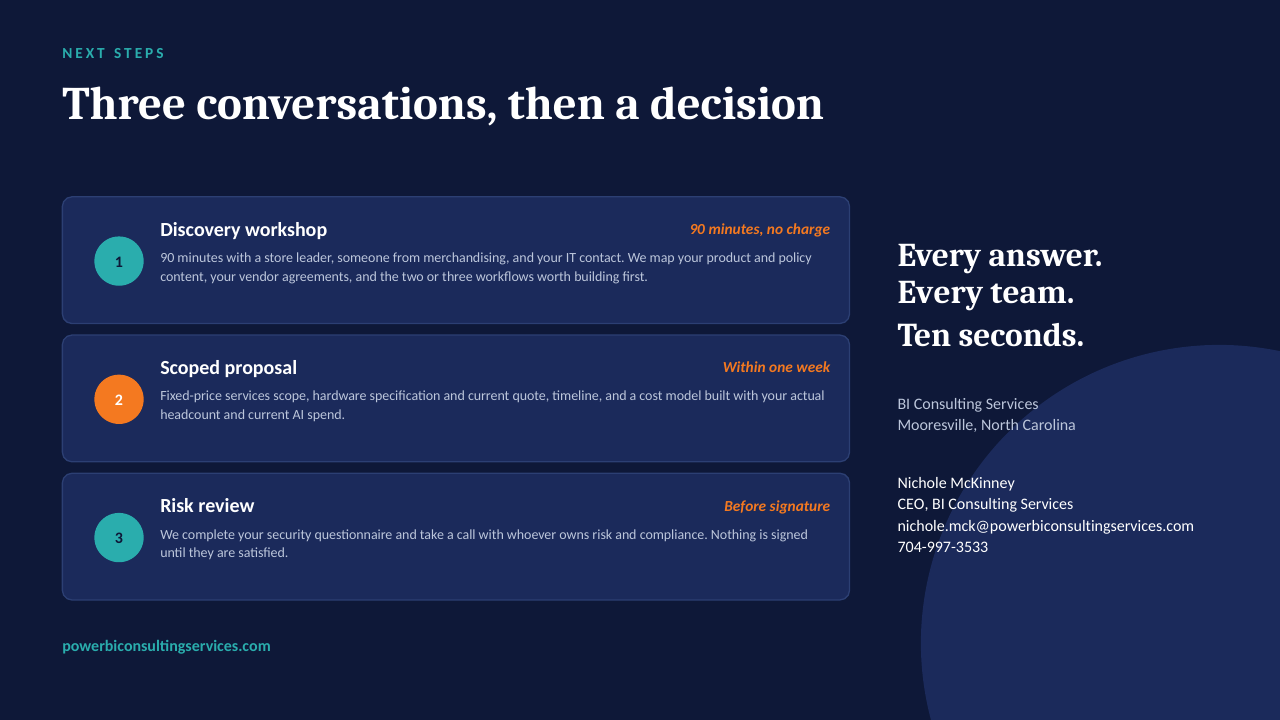
The "ask the data" ideas on this board are designed to run on a GPU server inside your own network — an open-weight model over your own documents, cited answers, no per-seat licence, nothing leaving the building. The short deck below explains how it works. Scroll through, or download it as a PDF.

Private AI Servers — slide 1 of 14
Private AI Servers — slide 2 of 14
Private AI Servers — slide 3 of 14
Private AI Servers — slide 4 of 14
Private AI Servers — slide 5 of 14
Private AI Servers — slide 6 of 14
Private AI Servers — slide 7 of 14
Private AI Servers — slide 8 of 14
Private AI Servers — slide 9 of 14
Private AI Servers — slide 10 of 14
Private AI Servers — slide 11 of 14
Private AI Servers — slide 12 of 14
Private AI Servers — slide 13 of 14
Private AI Servers — slide 14 of 14

Questions? Book 30 minutes: calendly.com/powerbiconsultingservices/30min